Websites / Templates / Electricians
An electrician website that gets the call-out booked
Most electrical jobs start with worry — a tripped fuse box, a burning smell, a buyer’s solicitor asking for a certificate. This template leads with how fast you respond, what a job costs, and the certifications that prove the work is safe.
From $1,499 + $69/month · live in under 7 days · we write every page for you
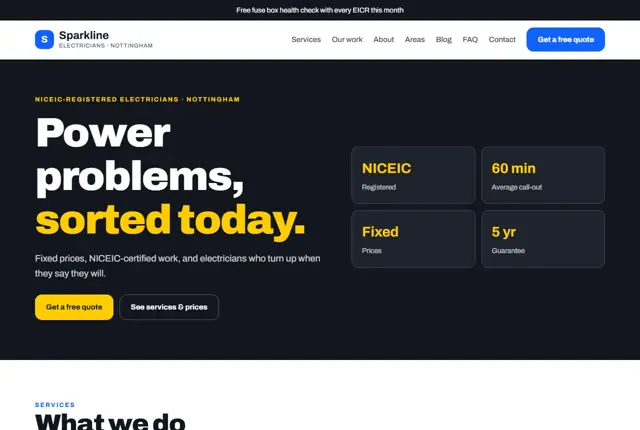
Choose your look
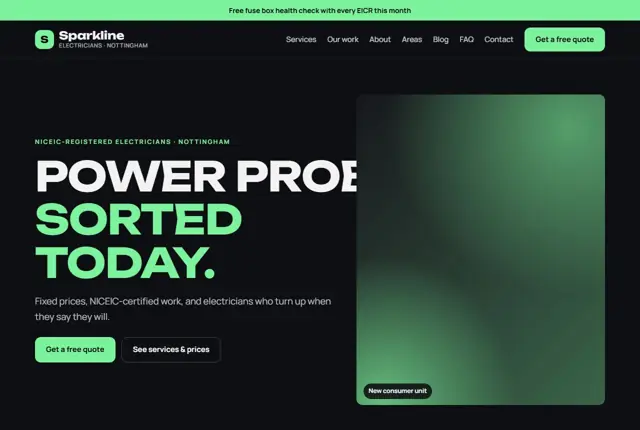
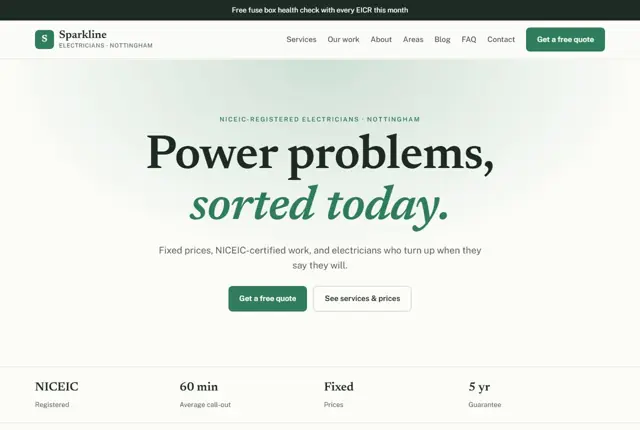
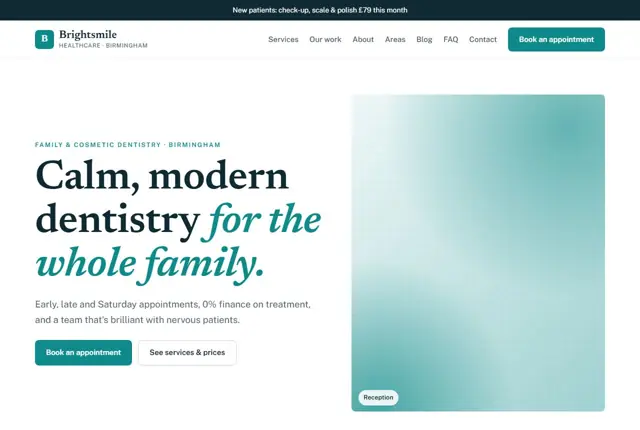
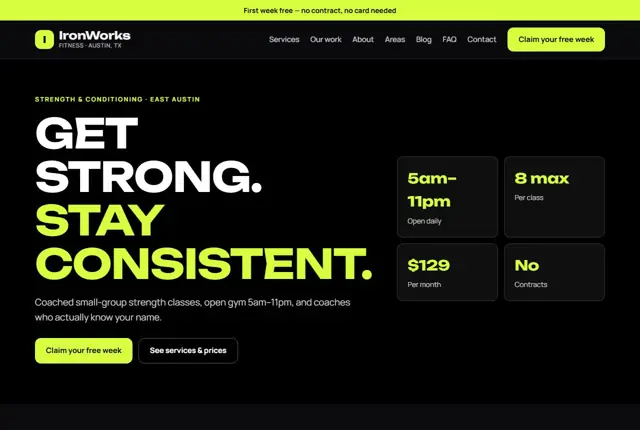
3 designs for your electrical business
Same pages and words, three different styles. Pick one — or mix parts of them — and we match it to your colours and logo.
What your customers look for
Answer these before they ask
- Whether you can come out today
- Roughly what the job will cost
- Proof you are NICEIC or equivalent registered
- Whether you handle their specific job, from a socket to a full rewire
Pages we build for you
Your electrical business website, page by page
- Home with a call-out promise
- Services and starting prices
- EICR and consumer unit pages (Growth plan)
- Area pages for each town you cover
- Reviews
- Free quote and contact
FAQ, Contact and Privacy pages are free on every plan.
Free guide
How to plan an electrician website that brings in jobs, not just enquiries
The pages that earn an electrician’s phone calls
Begin with a home page that answers three things in the first screen: what you do, which areas you cover, and how to reach you now. Put the phone number in large type. Beneath it, list your main services as short links: fault finding, rewires, consumer units, extra sockets, lighting, EV charger installs.
Each major service deserves its own page with a plain description of what happens on the day, how long it takes, and what paperwork the customer receives afterwards. Add a page for each town you cover, a reviews page, and a contact page with a short form.
- Fault finding and repairs
- Rewires and consumer units
- Safety inspections and certificates
- EV chargers
- Areas covered
Proof that reassures anyone letting you into the house
Electrical work is a safety matter, and customers know it. They look for evidence you are qualified before they look at price. State which registration or competent person scheme you belong to and how a customer can check it. Say that you carry public liability insurance. Explain the certificate you issue when a job is done.
Local rules differ. In the UK, many domestic jobs must meet Building Regulations Part P, and a registered electrician can self-certify the work. In the USA, licensing is set by each state or city. In the UAE, work is generally carried out by firms approved by the local authority. Mention the rule that applies where you work, in one calm sentence.
Writing for how people look for electricians
Some searches come from panic: “no power in kitchen”, “fuse board keeps tripping”, “electrician open now”. Others are planned: “EICR for landlord”, “fit EV charger at home”, “add sockets to garage”. The two groups need different pages.
For urgent searches, keep the phone button on every screen and say plainly when you can attend. For planned work, write full pages that describe the job, who it suits and what affects the cost. Include the town name naturally in headings and opening lines. Assistants asked for a local electrician will quote the pages that state the service and the area clearly.
Showing prices and call-out terms honestly
Nobody expects a fixed quote for a job you have not seen, but they do want a sense of scale. Give a call-out or inspection fee if you charge one, then show starting prices or typical ranges for common jobs such as a new socket or a consumer unit swap.
Say what pushes the price up: access, old wiring, the size of the property. Explain whether your estimate is free. Describe how emergency visits are charged compared with weekday work. A customer who understands the pricing before ringing is far more likely to book, and less likely to haggle once you arrive.
Getting found locally as an electrician
- Choose Electrician as the main Google Business Profile category, then add specific ones such as EV charging station installer if you do that work.
- Set the service area to the towns you actually reach in an hour, not the whole county.
- Add photos of finished consumer units, tidy cable runs and your van, rather than stock pictures of sparks.
- Ask for a review straight after the certificate is handed over, while the lights are on and the customer is pleased.
- Write a page for each town, mentioning the housing types and typical jobs you meet there.
- List the business with your registration body’s find-an-electrician search, where your scheme provides one.
- Use the same business name, number and area wording everywhere you appear online.
Mistakes to avoid
- Burying the phone number in a footer, so someone with no power has to hunt for it.
- Listing every service in one long paragraph instead of giving the big jobs their own pages.
- Showing registration logos with no explanation of what they mean or how to check them.
- Using stock photos of hard hats and wires, which tell a customer nothing about your own work.
- Not stating the areas covered, which makes people assume you are too far away.
Built in for electricians
Features that matter in your industry
Tap-to-call button fixed to the top of every page
Certificate and registration badges near the header
Area pages written for how people search, like “electrician in Beeston”
Found by Google — and recommended by AI
Someone asking an assistant “electrician near me who can fit an EV charger in Beeston” wants a page that states the service, the area and roughly what it costs. This template answers all three in one short section, so assistants can quote it directly.
Every Adyft site also ships with fast loading, structured data for search engines and a clear page for each service.
Questions
About websites for electricians
Can it show my registration details?
Yes — your registration scheme, insurance and guarantee sit near the top of the home page, where buyers and landlords look for them.
Will it list every town I cover?
On Growth and above, yes — each town gets its own page written around the services you actually offer there.
Can customers request an emergency call-out?
Yes, a tap-to-call button sits at the top of every page, alongside a shorter WhatsApp option for less urgent jobs.
Should I include a price list for electrical work?
A short list of starting prices for common jobs helps a lot. Add a line saying the final figure depends on the property. It filters out unsuitable enquiries and builds trust with the rest.
Can the site show I am a registered electrician?
Yes. We place your scheme, insurance and guarantees in a visible spot and link to the official checker where one exists. You will need to send us your membership details so we can show them correctly.
How do I handle emergency calls from the website?
Put one tap-to-call button on every page and state your emergency hours clearly. If you cannot always answer, say when you will call back. An honest message beats a number that rings out.
Do I need a page for each type of job?
For the jobs you want more of, yes. A page about EV charger installs or safety inspections can rank for those searches. Small odd jobs can share a single repairs page.
Can customers send photos of their problem?
A form with a photo upload is a good idea for quotes, such as a fuse box or a garage. It helps you judge the work before visiting. Tell us if you want it and we will build it in.
What legal pages does an electrician website need?
A privacy policy is required wherever the site collects contact details, and a terms page for call-outs is wise. We draft both in plain language for you to approve before launch.

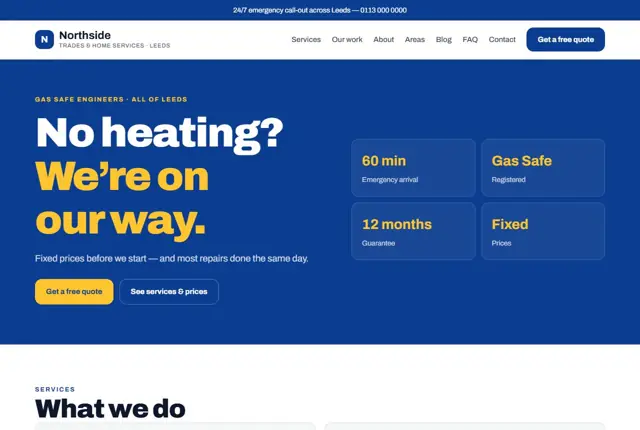


Your electrical business website, live this week.
Pick this design, answer a few questions on WhatsApp, and we build the rest.