Websites / Templates / Roofing companies
A roofing website that wins the inspection before the storm clears
Homeowners calling a roofer after a storm are often anxious about an insurance claim as much as the roof itself. This template leads with a free inspection, explains how storm claims actually work, and shows your licensing and warranty up front.
From $1,499 + $69/month · live in under 7 days · we write every page for you
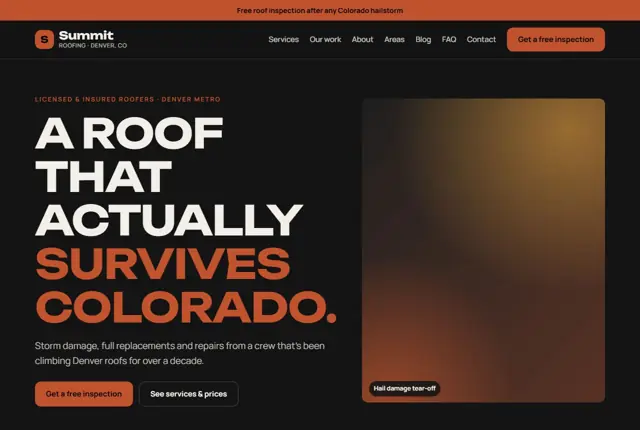
Choose your look
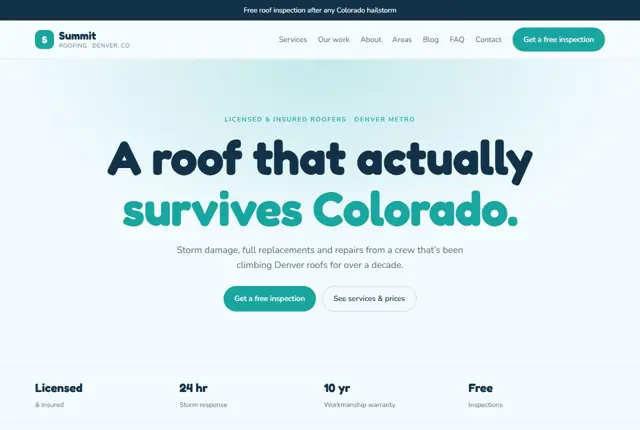
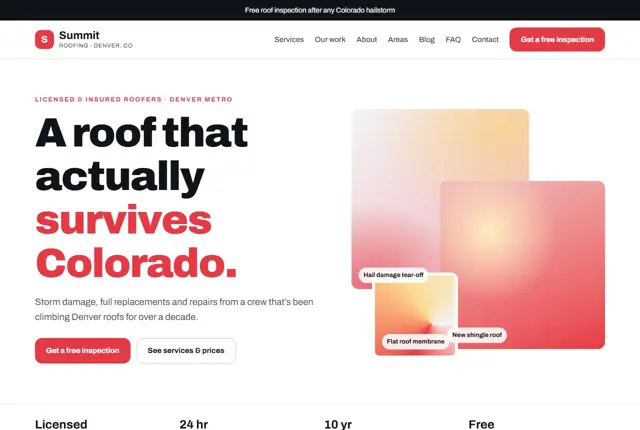
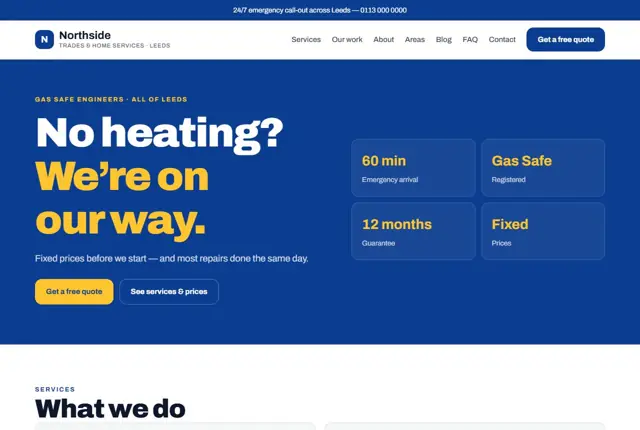
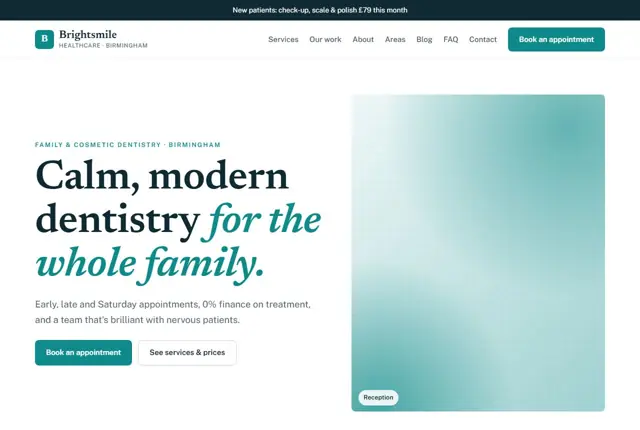
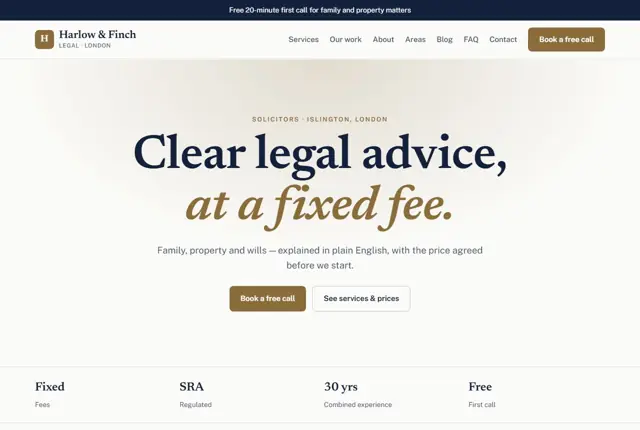
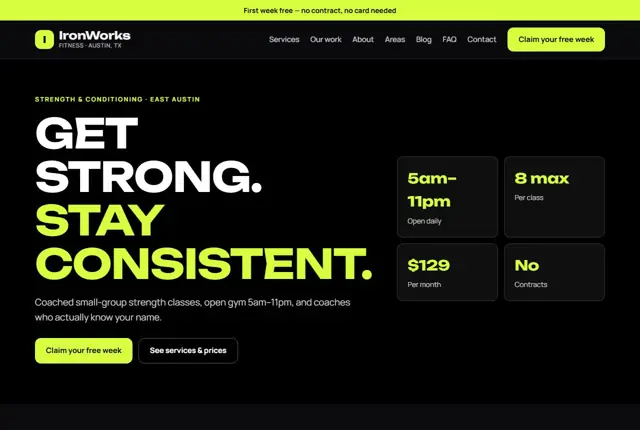
3 designs for your roofing company
Same pages and words, three different styles. Pick one — or mix parts of them — and we match it to your colours and logo.
What your customers look for
Answer these before they ask
- Whether you offer a free inspection
- Whether you are licensed and insured
- How you work with insurance adjusters
- What a repair or full replacement will cost
Pages we build for you
Your roofing company website, page by page
- Home with a storm-response banner
- Inspections
- Replacement and repair pages (Growth plan)
- Area pages for each suburb you cover
- Storm damage and insurance claims
- Book an inspection
FAQ, Contact and Privacy pages are free on every plan.
Free guide
How to plan a roofing company website that wins inspections
Pages a roofing company website should have
Roofing customers rarely browse for fun. Something has leaked, blown off or aged out, and they want to know whether you are the firm to deal with it. A tidy set of pages gets them there quickly: home, repairs, full replacements, flat roofs if you fit them, gutters and fascias, storm damage, areas served, past projects, and a booking page for inspections.
On each service page describe the materials you fit, such as slate, tile, asphalt shingle, metal or single-ply membrane, how long a typical job takes, and what the warranty covers. Add a short “signs you need this” list at the top so a homeowner can recognise their own situation. Mention how you protect the property during work, including how you handle old materials, tidy the garden and leave the site each evening. Those small details answer worries people seldom say aloud.
Reassurance for people about to spend serious money
A new roof is among the largest repair bills a household faces, and many homeowners have heard stories about rogue traders. Calm that fear early. Show your licence or registration where one applies, your insurance, and the guarantee given on workmanship and materials.
In the USA, roofing licences are issued at state or local level, so give your licence number. In the UK, membership of a recognised trade body can be mentioned if you hold it. Explain how deposits work and what happens when weather delays a job. Include photographs of finished roofs from your own jobs, with the town named, so a visitor can see you work close to home.
Matching the way homeowners search
Searches tend to start with a symptom or an event: “roof leaking when it rains”, “missing tiles after storm”, “roof inspection near me”, “how long does a roof last”. Assistants get similar questions, often with a place name added.
Give each of these its own short, honest answer on the site. A page titled “Roof leaking? What to check and who to call” will outperform a generic services page. Put the suburb or town in headings. Where you serve several areas, write a page for each that mentions local housing and typical roof types, rather than copying one paragraph with the place name swapped.
Repair or replace: the question to answer
Almost every homeowner asks whether a patch will do or the whole roof should go. A page that treats this fairly attracts trust. Describe the signs that point to repair: a few damaged pieces, a failed flashing, a localised leak on a roof in otherwise decent shape.
Then describe the signs that point to replacement: widespread wear, repeated leaks, sagging, or granule loss on shingles. Explain that you will inspect before advising. Where insurance may be involved, say how you document damage with photographs and what the homeowner should keep. Avoid promising that a claim will be approved, since you do not decide that.
Getting found locally as a roofer
- Pick Roofing contractor as the primary Google Business Profile category and add Roof repair or Gutter service if they match your work.
- Mark your service area by town or postcode, and keep it realistic for travel with ladders and materials.
- Post before-and-after photographs of completed roofs, with permission from the owners.
- Ask for a review once the final inspection is done and the scaffold is down.
- Build a page for each suburb or town, naming the streets or housing styles you commonly work on.
- Join your national or regional roofing trade association and use its member directory listing.
- Keep your name, address, phone and licence wording identical across listings.
Mistakes to avoid
- Showing only dramatic storm photographs and no ordinary finished roofs.
- Leaving out licence and insurance details, which are the first things a cautious homeowner looks for.
- Publishing a single “areas we serve” list of thirty towns with no content for any of them.
- Promising insurance outcomes that depend on the insurer, not on you.
- No clear next step, so a visitor reads everything and then has no easy way to ask for an inspection.
Built in for roofing companies
Features that matter in your industry
Insurance-claim section explaining how adjusters are handled
Licensing and warranty details placed above the fold
Area pages built for searches like “roof repair in Aurora”
Found by Google — and recommended by AI
A homeowner asking an assistant “should I repair or replace my roof after hail damage in Aurora” wants a page that explains both options honestly. The repair-or-replace guide here does exactly that, naming the signs for each.
Every Adyft site also ships with fast loading, structured data for search engines and a clear page for each service.
Questions
About websites for roofing companies
Can the site explain how insurance claims work?
Yes, a dedicated section walks homeowners through documentation and working with their adjuster.
Can each suburb have its own page?
On Growth and above, yes — every area you cover gets a page matched to the roofing searches people actually type.
Can it show financing options?
Yes, we add a short financing section next to replacement pricing if you offer it.
How much roofing work should I show on the site?
Pick six to ten finished jobs across different roof types and show each with the town, the material and what was done. A few well-described projects convince better than a wall of unlabelled pictures.
Should the site include prices?
Give guide ranges for common jobs and explain what changes them, such as roof size, pitch, materials and access. Say you quote after inspecting. Visitors respect honesty about this and it reduces time wasted on unsuitable enquiries.
Can a roofer website help in storm season?
Yes. We can add a banner and a storm damage page ahead of the season, with what to photograph, what to do about temporary cover, and how to book an inspection. You can switch it on or off with a message.
Do I need a separate page for gutters?
If gutters are a regular source of work, a short page of their own helps people find you for that search. If they are occasional extras, mention them on the repairs page.
What if I only cover a small area?
That is fine, and often better. A clear statement of the towns you reach persuades locals more than a long list of places you rarely visit.
How do I show my warranty?
Describe it in words: what it covers, how long it lasts and who stands behind it. Add a downloadable sample if you have one. Avoid vague phrases like “fully guaranteed” without detail.

Your roofing company website, live this week.
Pick this design, answer a few questions on WhatsApp, and we build the rest.